
Black Wireless Text Message Program
This page describes the Black Wireless text message program in full, including how customer consent is collected. Because consent is collected inside a signed-in customer account, this page reproduces that experience so it can be reviewed without an account.Program Description
Black Wireless sends a one-time verification code by text message to confirm that a customer controls a mobile number when they add or remove a line on their account. These are transactional account-security messages. We do not send marketing, promotional, or recurring messages under this program.- Program name: Black Wireless Account Verification
- Message type: One-time passcode / two-factor authentication
- Frequency: One message per request initiated by the customer
- Recipients: Signed-in Black Wireless account holders who enter their own mobile number
How Consent Is Collected
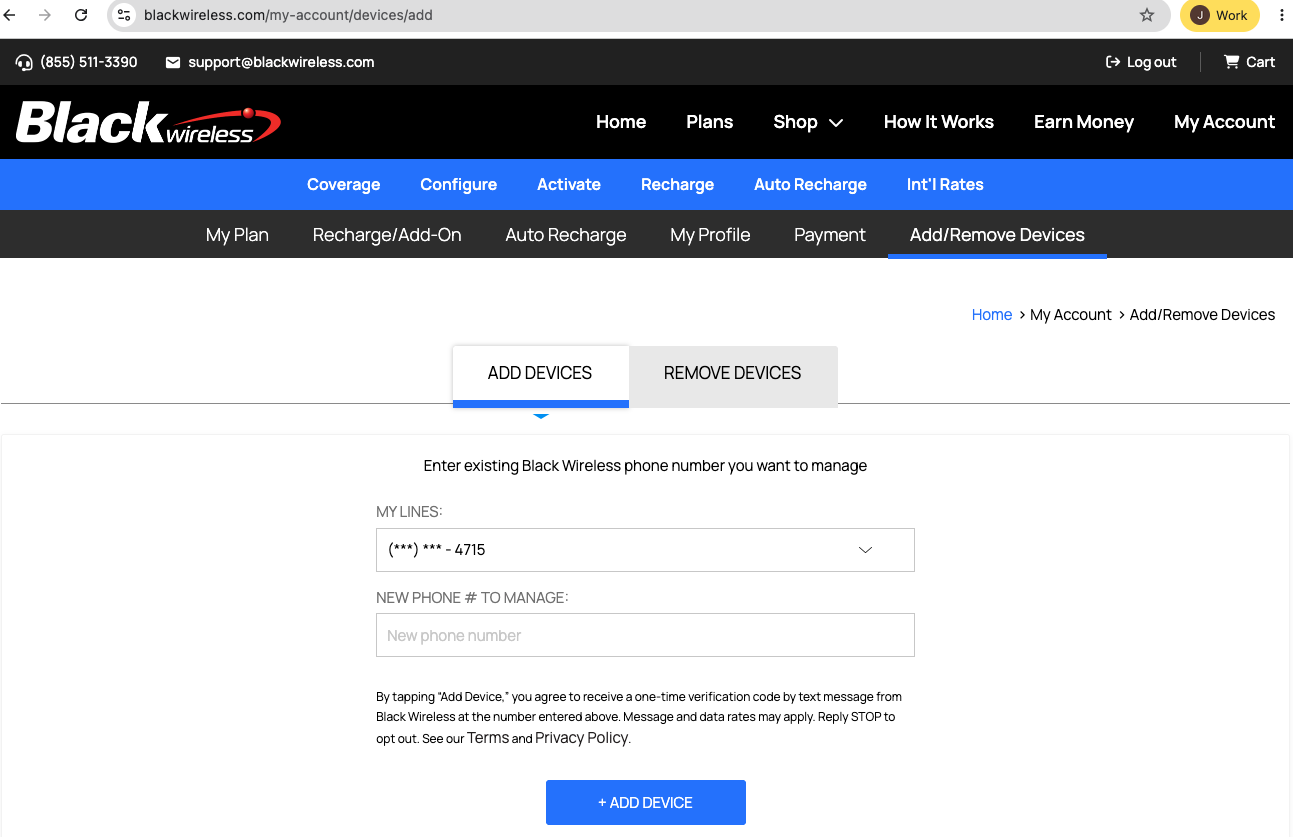
Consent is collected on the customer's own request, inside their signed-in account, at My Account → Add/Remove Devices. The complete flow is:- The customer signs in to their Black Wireless account at BlackWireless.com.
- The customer navigates to My Account → Add/Remove Devices (/my-account/devices/add or /my-account/devices/remove).
- The customer types the mobile number they wish to add or remove into the form.
- Immediately above the submit button, the customer is shown the disclosure reproduced verbatim below.
- The customer presses “Add Device” or “Remove Device”. Pressing that button is the customer's affirmative request to be sent a verification code, and is the point at which consent is given.
- Black Wireless sends a single verification code to that number. The customer enters the code to complete the action.
Disclosure Shown at the Point of Consent
The following text appears on the page, immediately above the submit button, before the customer submits their number:
By clicking “Add Device,” you agree to receive a one-time verification code by text message from Black Wireless at the number entered above. Message and data rates may apply. Reply STOP to opt out. See our Terms and Privacy Policy.
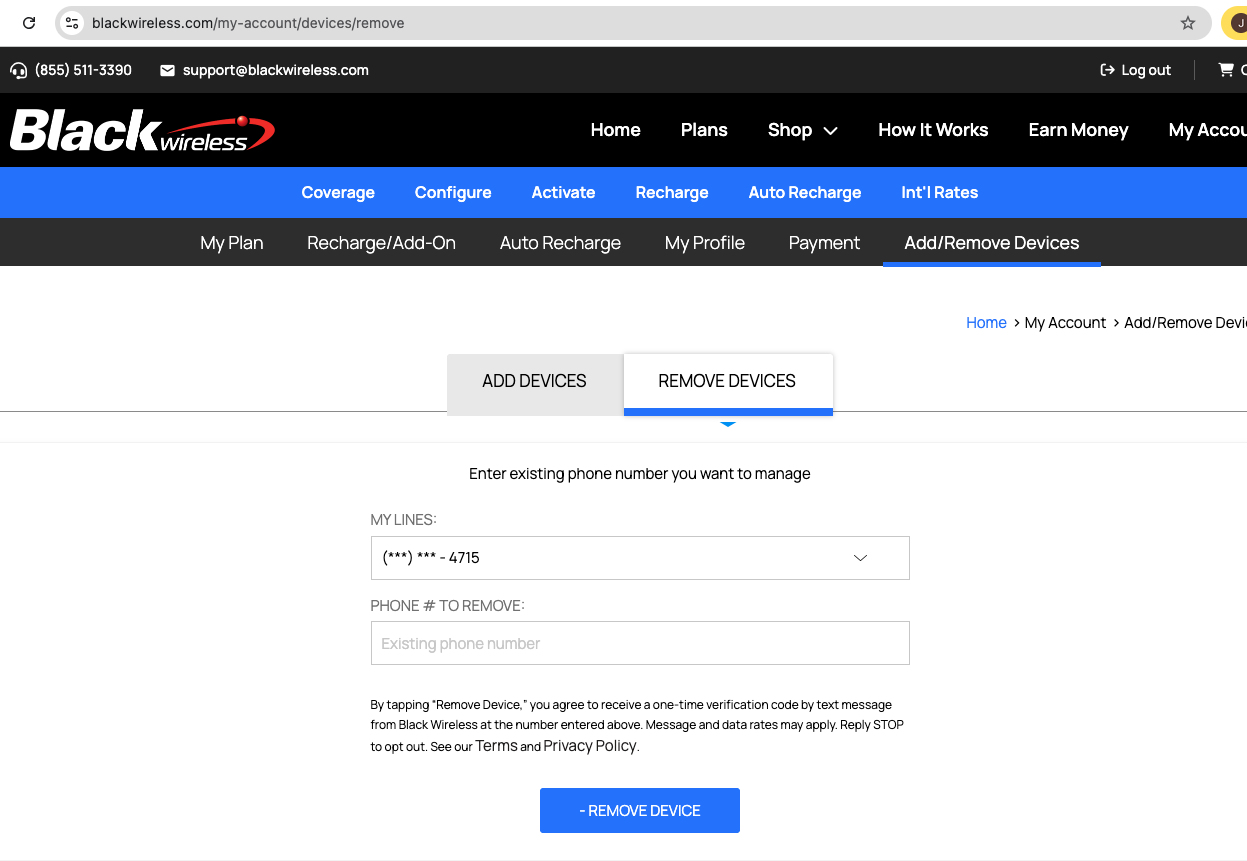
On the Remove Devices page the identical text appears, with “Remove Device” in place of “Add Device”.
Screenshots of the Consent Flow
The screenshots below show the live pages on which consent is collected, including the disclosure text above.Add Devices — /my-account/devices/add
Remove Devices — /my-account/devices/remove
Sample Message
Customers receive exactly one message per request, in this form:
Black Wireless: Your secure code is 123456.
Opting Out
Customers may reply STOP to any message to stop receiving text messages from Black Wireless. Because these messages are used to verify control of a mobile number for account security, opting out may prevent completion of actions that require verification. Message and data rates may apply.Mobile Information Is Never Shared or Sold
Mobile telephone numbers and text message consent collected through this program are not shared, sold, rented, or transferred to any third party, affiliate, or lead generator for marketing or promotional purposes, and consent given to Black Wireless is not extended to any other business. The full commitment is set out in the Text Message (SMS) Program and Mobile Information section of our Privacy Policy.Questions
For questions about this program, email us at [email protected].Last Updated: October 30, 2026